



Data and structure
Why conduct marketing due diligence?
Companies often invest significant budgets in digital marketing without always having a clear view of the actual performance.
A thorough check allows, in particular, for:
- validate the quality of marketing data
- analyze the dependence on certain acquisition channels
- check the configuration of the cybermetry tools
- identify technological or operational risks
- measure the actual performance of marketing
This analysis helps to better understand a company's ability to generate leads, sales, and growth.
technological tools and data
In what contexts should marketing due diligence be performed?
Marketing and technology due diligence is particularly relevant in several situations:
Acquisition or sale of a company
To validate the actual performance of marketing and the quality of digital assets.
Investment or financing
To understand the drivers of growth and the reliability of marketing data.
Marketing recovery or optimization
To identify inefficiencies and restructure the strategy.
Growth or internationalization
To ensure that marketing and technological infrastructure can support expansion.
92% of SMEs use digital technologies, but only about 10% actually integrate them into all of their operations and governance.
Our services
Marketing technology tools and data



Data structure
A good foundation for your ecosystem
Data structure is the vital foundation of any technology ecosystem, especially in marketing. A well-designed data structure ensures the efficient organization and accessibility of information, which is crucial for making informed and timely decisions. It enables precise analysis and interpretation of data, making it easier to identify market trends and consumer behaviors.
A solid data structure is also essential for the smooth integration of different tools and platforms, ensuring smooth management and optimal exploitation of data. In summary, a robust data structure is the foundation upon which the success of a company's technology ecosystem rests, directly influencing its ability to innovate and remain competitive.
Flat-rate management
Technology marketing as a strategic element of growth
Flat-rate management in technology marketing is a key strategic element to drive business growth. This approach, which involves adopting technology solutions as bundles or complete packages, allows for faster and more efficient integration and implementation of marketing tools.
It facilitates the alignment of technologies with the strategic objectives of the company, ensuring consistent and optimized use of resources. Additionally, flat-fee management helps control costs and simplify budget planning, while providing access to cutting-edge technologies needed for advanced data analysis, marketing personalization and better understanding of the customer journey.
Data managment
technological tool solutions

SEO, SEM and SMM
Analysis and strategy
GTM, GSC and GA4
Meta
Business manager and pixels
Microsoft
MS Clarity
follow up
Conversion Tracking
implementation
Posting on the website
Google Looker Studio
Dashboards and KPIs
internal team
Flat-rate maintenance
Frequently Asked Questions
Marketing technology tools
By integrating these tools, you get a global and precise view of your marketing performance:
• Campaign optimization through precise tracking of conversions and audiences.
• Clear visualization of data via consolidated dashboards.
• Improved ROI through decisions based on reliable insights and synergies between platforms.
• Google Analytics 4 (GA4) : Detailed analysis of user behavior on your website.
• Google Search Console (GSC) : Monitoring SEO performance and visibility in search engines.
• Google Ads + Pixel : Management of advertising campaigns and conversion tracking.
• Google Tag Manager (GTM) : Centralized management of tracking tags.
• CRM : Centralization of customer data for advanced segmentation and personalization.
• Facebook Business + Pixel : Management of Meta advertising campaigns (Facebook, Instagram) and tracking of user actions.
• LinkedIn Insight Tag : Monitoring and optimizing the performance of LinkedIn Ads campaigns.
• Website Conversions : Setting up and tracking goals on your website.
• Microsoft Clarity : Heat maps and recordings of user sessions to understand their behavior.
• Google Looker Studio (formerly Google Data Studio) : Interactive dashboards to visualize your marketing data.
• Advantages of GA4:
• Cross-device analysis: Track users across multiple devices.
• Event-based data model: Track clicks, conversions, and specific interactions.
• Customizable reports: Adapt your dashboards to your needs.
• Integration with other Google tools: GSC, Ads, Looker Studio.
GA4 is essential for understanding user behavior on your site and optimizing your strategy.
Google Search Console is essential to improve your natural referencing (SEO). It allows you to:
• Track the performance of your keywords and pages.
• Identify and resolve technical errors (404, indexing).
• Understand which queries generate the most traffic.
Google Tag Manager makes it easy to track actions on your site without having to constantly edit code.
• Examples of configured tags: Conversion pixels (Google Ads, Facebook), specific events (clicks, downloads).
• Benefits: Time saving, flexibility, and compliance with regulations such as GDPR.
The Google Ads Pixel collects valuable data for your SEA campaigns. It allows you to:
• Track conversions in real time.
• Set up audiences for remarketing.
• Optimize your ads based on user behavior (e.g.: cart abandonment).
The Facebook Pixel is essential to track and optimize your Meta campaigns (Facebook, Instagram).
• Benefits :
• Tracking of specific actions (add to cart, purchases).
• Creation of custom audiences for remarketing.
• Improved advertising performance through algorithms based on collected data.
This tool is designed to optimize your LinkedIn Ads campaigns. It allows you to:
• Track conversions generated by your LinkedIn ads.
• Analyze the performance of targeted professional audiences.
• Create segments for remarketing based on visits to your website.
A CRM centralizes all your customer interactions, allowing you to:
• Advanced segmentation of your audience.
• Tracking leads throughout the customer journey.
• Automation of email campaigns and reminders.
• Optimization of sales opportunities with accurate reporting.
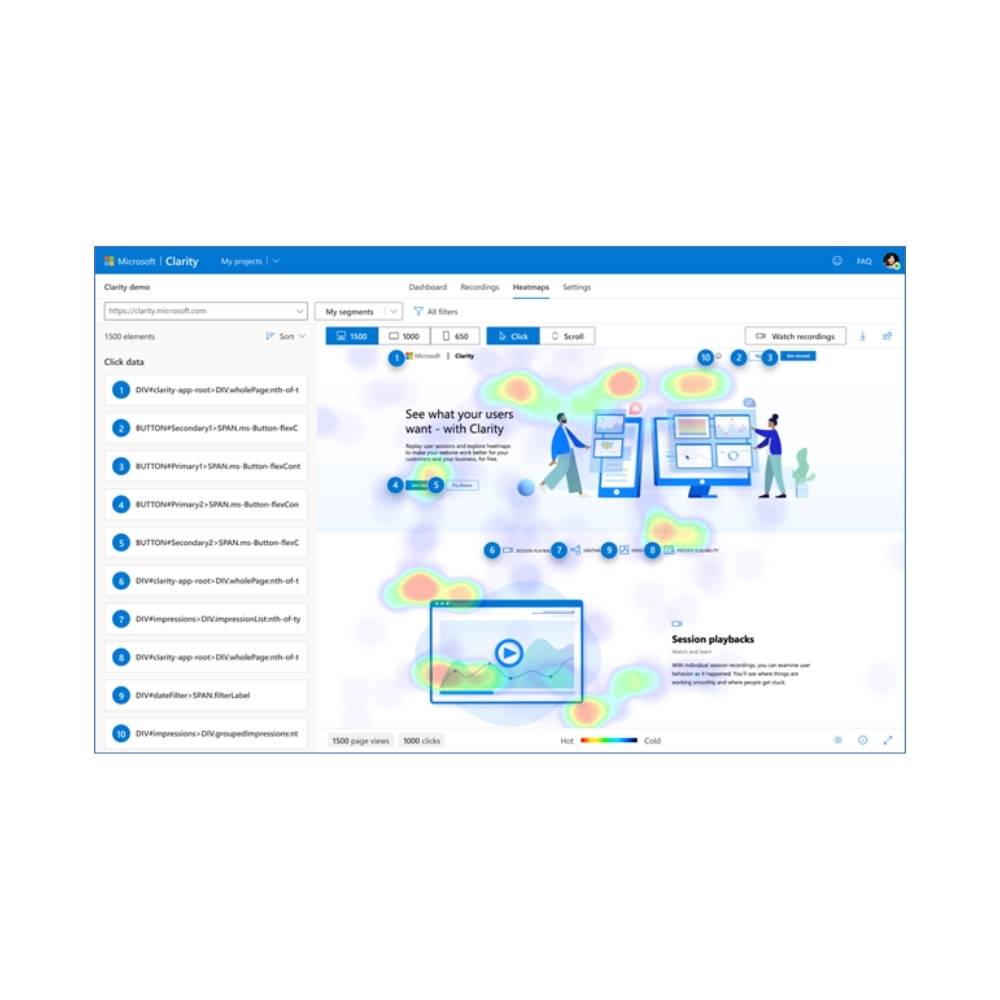
Microsoft Clarity provides visual insights into user behavior through:
• Heatmaps : Identify the most clicked or ignored areas.
• Replay sessions: Analyze real user journeys on your site.
• Frustration Detection: Identify behaviors like repetitive clicks or abandonments.
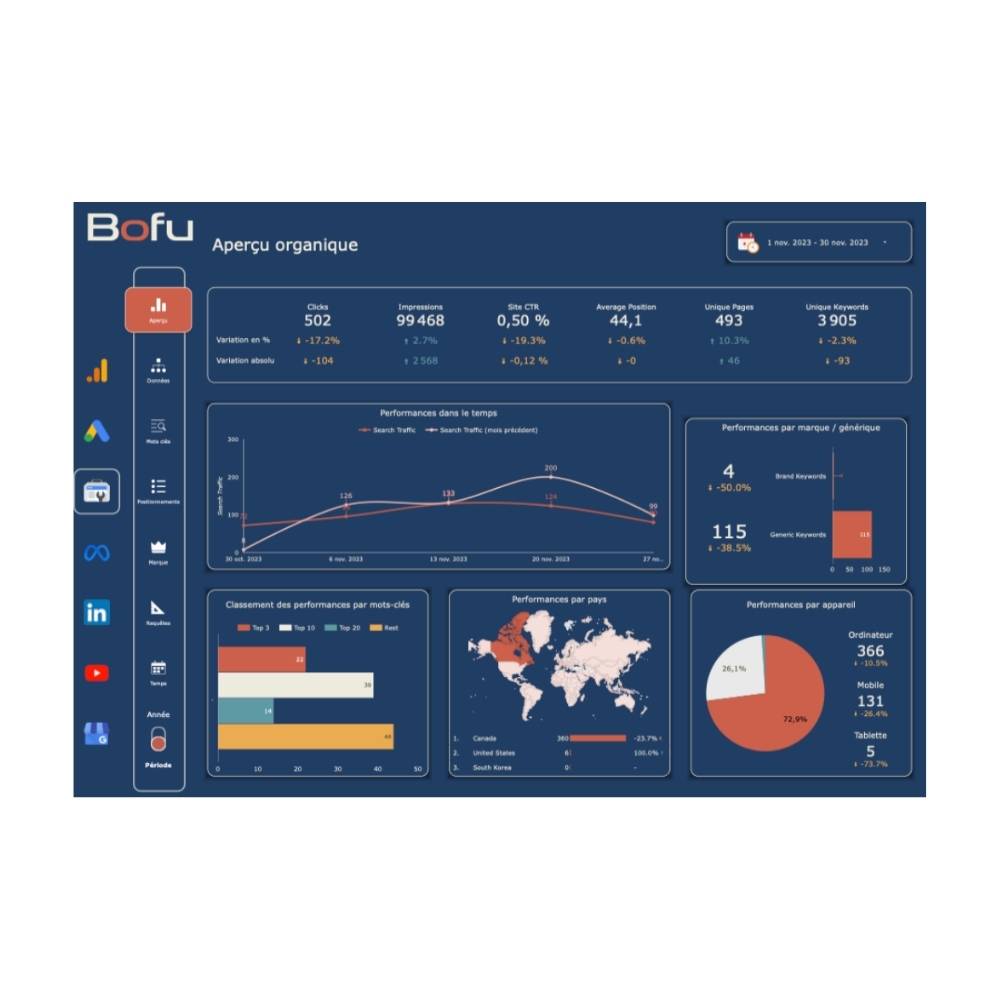
Google Looker Studio (formerly Google Data Studio) allows you to:
• Consolidate your data from multiple sources (GA4, Google Ads, CRM).
• Create interactive visual dashboards.
• Easily share performance with your team or clients.
Using Google Tag Manager (GTM) to manage your tracking codes brings significant benefits, not only in terms of management, but also in improving the technical performance of your website and its organic search engine optimization (SEO).
1. Centralization of tracking codes for better management
• Before GTM: Tracking tags (e.g. Google Ads, Facebook Pixel, LinkedIn Insight Tag) were directly integrated into the site source code, which resulted in:
• Complex management in the event of an update or replacement.
• Increased risk of errors or duplications.
• With GTM: All tracking codes are centralized in a single interface. You can:
• Add, modify or delete tags without touching the source code.
• Save time and reduce the risk of technical errors.
2. Improving the technical performance of the site
Tracking codes embedded directly in the source code can slow down your site by:
• Increasing loading time (affects Core Web Vitals).
• Multiplying unnecessary network requests.
With GTM:
• Tags are loaded asynchronously, meaning they do not interfere with the main loading of the page.
• You can configure conditional loading of tags to avoid running unnecessary scripts (eg: Facebook pixel only on specific pages).
• This reduces the impact of tags on First Contentful Paint (FCP) and improves your Core Web Vitals scores, essential metrics for SEO.
3. Compliance with SEO best practices
Google favors fast and well-structured sites in its search results. Using GTM allows you to:
• Avoid tag redundancies: GTM ensures that no tags are duplicated, which can create conflicts or errors in the collected data.
• Optimize page rendering: Fewer scripts embedded directly in the code means a lighter HTML file, improving crawling and indexing by Google robots.
• Meet privacy requirements: GTM facilitates cookie management and compliance with GDPR and Law 25, important aspects for maintaining the credibility and ranking of your site.
4. Simplified monitoring and troubleshooting
With GTM you can:
• Test your tags before publishing them using Preview mode.
• Quickly debug errors without having to modify your site’s code.
• Track the impact of tags on performance in real time.
5. Continuous optimization for effective SEO
Using GTM in a performance-driven technical strategy allows you to:
• Reduce overall loading time: Thus improving rankings in search results.
• Prioritize critical scripts: By delaying non-essential tags, you promote fast loading of visible content.
• Create SEO-specific tags: GTM can be used to implement tools like schema.org for structured data or configure SEO events (scroll tracking, clicks on internal links).
By centralizing and optimizing tracking codes with GTM, Bofu not only helps you improve data management and analysis, but also strengthens your site's performance and SEO positioning. It is an essential solution for a technical and effective marketing strategy.